Common FINTRAC Report Validation Errors and How to Fix Them
Troubleshoot FINTRAC validation errors, warnings and rejections. Learn why reports fail, how to fix source data, and prevent recurring validation issues.
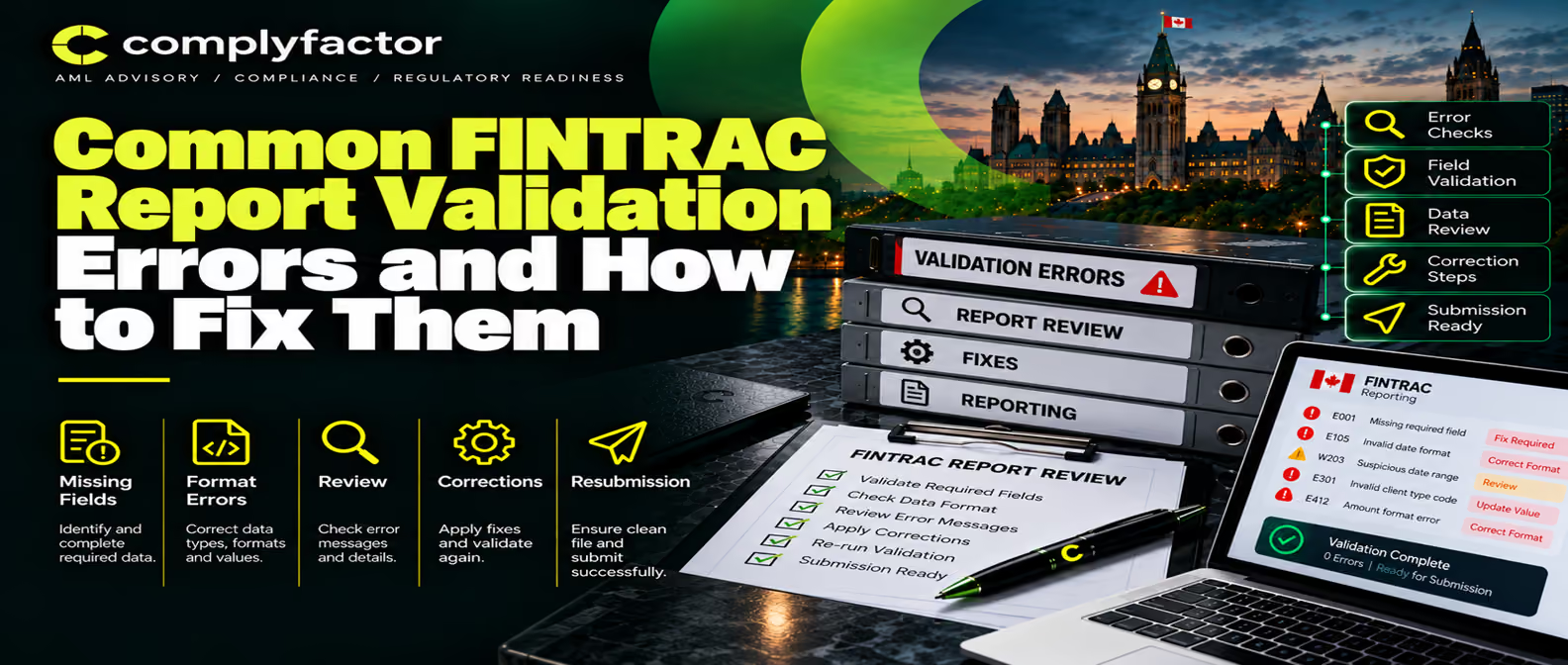



Key takeaways
- Validation failures prevent submission and must be fixed before a report reaches FINTRAC; warnings allow submission but flag potential issues.
- Most validation errors originate in incomplete source data, incorrect field mapping, or outdated code lists — not in formatting alone.
- Understanding FINTRAC's five rule types (presence, conditional presence, format, content, and cross-field consistency) enables rapid error diagnosis.
- Preventing recurring errors requires systemic improvements: data-quality ownership, pre-submission validation, and monthly error analysis.
- A single validation error is usually a quick fix; recurring patterns indicate gaps in source data capture, system integration, or staff training.
Introduction
Your compliance team finishes their daily work at 4 PM. The suspicious transaction report is complete, details verified, narrative approved. You submit it through your API integration or web portal. Five seconds later: rejection message. The reporting entity contact identifier doesn't match what's listed elsewhere in the report. Your team has to stop, investigate the source data, fix the mapping, resubmit — and meet the same deadline they almost missed the first time.
This scenario is common. Report validation failures happen when required information is missing, field formats don't match FINTRAC's rules, codes are outdated, or data entered in one place contradicts information elsewhere. Most can be fixed quickly if you understand what the validation error means and where to look. This guide explains why FINTRAC rejects or warns about reports, how to interpret validation messages, and most importantly, how to fix the underlying source data so the error doesn't recur.
Quick Answer: Why Does FINTRAC Reject a Report?
FINTRAC rejects a report when mandatory information is missing or when the data you've entered violates one of FINTRAC's validation rules. A rejection prevents you from submitting the report. You cannot move forward until you fix the problem. Common reasons include: a required field is blank, information in one field contradicts information in another, a code you've entered isn't on FINTRAC's approved list, the format of a date or identifier doesn't match FINTRAC's required format, or a reference number you're using was already assigned to a different report. Once you fix the source data or field mapping, you can resubmit.
Warning vs. Rejection: Understanding the Difference
Two types of validation messages appear in FINTRAC's systems: warnings and rejections. The distinction is critical. A rejection blocks submission. If FINTRAC marks something as "rejected," the report will not be accepted until you fix it. Your system will not allow you to click the submit button. You must correct the error, resubmit, and receive a successful acknowledgement before FINTRAC receives the report.
A warning identifies information that may need review but does not prevent submission. If FINTRAC sends a warning, you can still submit the report. The warning is telling you: "We accepted this submission, but we noticed that certain information might be incomplete or needs your attention. If this information is available in your records, you should have included it."
Critical point: do not ignore warnings. A warning that passes technically through FINTRAC's validation system does not mean the report is legally complete or accurate. It means FINTRAC accepted it provisionally, pending your review. Your compliance officer should still confirm that the warned field is either genuinely not available or has been intentionally omitted for a documented reason.
How FINTRAC Validation Works
FINTRAC's validation engine checks your report against a set of rules. Understanding these rule types helps you troubleshoot errors.
- Presence rules check whether a required field contains a value. If a field is mandatory and you've left it blank, the validation fails with "Field is mandatory."
- Conditional presence rules check whether a field is required based on the value in another field. For example, if you indicate that a transaction involves a Ministerial Directive, certain additional fields become mandatory.
- Format rules check the structure of data — length, character type, and pattern. A date must be in yyyy-mm-dd format. A reference number must not exceed 20 characters.
- Content rules check whether the value itself is valid. This includes code-list validation (is the code on FINTRAC's approved list?) and cross-field consistency.
- Field length and uniqueness rules enforce character limits and prevent duplicate reference numbers.
- Cross-field consistency rules verify that related fields don't contradict each other. If you enter a contact identifier that doesn't match your organization's records, validation detects the mismatch.
Common FINTRAC Validation Errors
Missing Mandatory Fields
This is the most frequent validation error. FINTRAC specifies which fields are mandatory for each report type. Common mandatory fields include reporting entity contact identifier, transaction date and time, activity sector code, and beneficiary or conductor information. If any mandatory field is blank, submission is rejected. The fix: verify which field is missing from your source data, obtain the information, update your record, and resubmit.
Conditionally Required Information
Certain fields are only mandatory if a specific condition is met. For example, if you indicate that a transaction was initiated under a Ministerial Directive, additional fields describing your internal action become required. If you've triggered the condition but haven't completed the conditional fields, validation fails.
Invalid Codes or Values
FINTRAC maintains approved lists of codes for specific fields: activity sector codes, currency codes, country codes, identification types, and transaction types. If you enter a code that isn't on the current FINTRAC list, validation fails with "The value entered is not in FINTRAC's list of values." This can happen if your source system is using an old code list that FINTRAC has updated, or if data has been manually entered incorrectly.
Incorrect Field Format or Character Length
Each field has specific requirements: dates must be formatted as yyyy-mm-dd, times in ISO 8601 format, reference numbers must not exceed 20 characters, certain description fields may have minimum or maximum character counts. If you violate these constraints — for example, entering "01-Jan-2026" instead of "2026-01-01" — validation rejects the format.
Duplicate Reporting-Entity Reference Numbers
Each report you submit must have a unique reference number. Your reference number is how you (and FINTRAC) identify the report in your records. If you reuse a number that's already associated with a previously submitted report, validation fails. This often happens when your system has a poorly designed reference-generation algorithm or when staff manually assign numbers without checking what's been used before.
Cross-Field Consistency Issues
If you enter a contact identifier that doesn't match your current FINTRAC registration, or list a country that doesn't match the postal code you've provided, validation detects the mismatch. These cross-field consistency errors prevent submission until you align the conflicting information.
Common FINTRAC Validation Messages
Errors Caused by CSV or API Mapping
Many validation errors originate not in manual data entry, but in how your systems map source data to FINTRAC fields.
- Incorrect column mapping happens when your CSV export or API integration is set up to pull data from the wrong field in your transaction system.
- Date format mismatches occur when your system exports dates in one format (e.g., MM/DD/YYYY) but FINTRAC requires ISO 8601 format (yyyy-mm-dd).
- Blank values converted to zeros create spurious data. If a field is truly empty, your export should leave it blank — not insert a zero or default placeholder.
- Currency code mapping errors happen when your system uses internal currency abbreviations (e.g., "CAD") but FINTRAC requires ISO 4217 codes ("124" for Canadian dollars).
- Person and entity records mixed: your system may store both individual names and business names in a single field. If you don't distinguish between them, you may send a business name where FINTRAC expects an individual's name.
- Duplicate transaction references happen when your system's reference-generation algorithm creates duplicate IDs, or when you're manually assigning references without checking for prior use.
- Older schemas or outdated code lists: if your integration is based on an older FINTRAC schema or uses a code list that FINTRAC has updated, your data will fail new validation rules.
How to Fix a Rejected FINTRAC Report
Follow this practical eight-step workflow when a report is rejected.
- Record the validation message and rule. Note the exact error code and text. This becomes your audit trail and helps you identify patterns.
- Identify the affected field. The error message should tell you which field failed. If it's ambiguous, consult FINTRAC's validation specifications for the report type.
- Review related conditional fields. If the error is a conditional presence issue, check the field that triggered the condition. Make sure the logic is correct.
- Check the original customer and transaction record. Pull up the source data in your business system. Verify what information is actually available. Do not invent data.
- Correct the source data or mapping. If the source data is incomplete, update it in your system and re-export. If the data is correct but the field mapping is wrong, fix the mapping logic.
- Run validation again. Before resubmitting to FINTRAC, test the correction locally. Confirm the error is resolved.
- Complete maker–checker review. Have your second reviewer confirm the correction is appropriate and the report can now be submitted.
- Resubmit and retain the response. Submit the corrected report to FINTRAC and save the acknowledgement. This acknowledgement proves the correction was accepted.
How to Prevent Recurring Validation Errors
Once you've fixed a validation error, take steps to prevent it from recurring. Most repeated errors indicate systemic weaknesses.
- Maintain current field-mapping documentation. Document which FINTRAC field corresponds to which field in your source system. Update this document when FINTRAC's schema changes.
- Keep approved code lists current. Store a copy of FINTRAC's current code lists locally. Update them at least quarterly. Alert your team when FINTRAC updates codes.
- Implement pre-submission validation. Your own system should validate data before it reaches FINTRAC. Check for mandatory fields, format issues, and code-list compliance before submission.
- Enforce mandatory-field checks at data entry. Your transaction management system should require certain fields before a transaction can be recorded.
- Implement unique-reference controls. Your system should prevent the same reference number from being assigned twice, either through auto-generation or through a lookup.
- Assign clear data-quality ownership. One person or team should be responsible for the completeness and accuracy of customer and transaction data.
- Maintain maker–checker approval. Two people should review every FINTRAC report before submission.
- Log errors and analyze root causes. Keep a log of every validation error, including when it occurred, what field failed, and what the fix was. Analyze this log monthly to identify patterns.
- Conduct regular staff training. Ensure your team understands why validation errors happen and how to fix them.
- Test after system changes. When you upgrade your transaction system, integrate new software, or update your API connection, test with a sample transaction before processing live reports.
Pre-Submission Validation Checklist
- ☐ Report identity: unique reference number, correct report type, correct location identifier
- ☐ Parties: reporting entity contact ID, beneficiary/conductor/requester names and IDs (as required)
- ☐ Transactions: dates in yyyy-mm-dd format, amounts with consistent currency codes, descriptions complete
- ☐ Addresses: consistent format (structured or unstructured, not both), country matches postal code format
- ☐ Currencies: code on FINTRAC's approved list, matches transaction amount format
- ☐ References: no duplicates, length within limits, characters valid
- ☐ Conditional fields: if parent field is completed, check dependent fields
- ☐ Approval: second reviewer has confirmed data accuracy and legal completeness
When Validation Errors Indicate a Wider Compliance Problem
A single validation error is usually a quick fix. But if you see the same validation error repeatedly — or if different errors are increasing in frequency — this signals a systemic weakness. Investigate whether the pattern points to problems in your customer data, transaction records, system integration, reporting procedures, staff training, quality assurance, or compliance oversight.
For example, if you repeatedly receive "missing mandatory field" errors for beneficiary information, this may indicate that your transaction system doesn't require staff to enter beneficiary details, or that certain transaction types in your business genuinely lack beneficiary data (a red flag requiring escalation). If you repeatedly get "value not in code list" errors, your integration may be using outdated code lists, or your source system may be storing codes in a non-standard format.
Important: do not assume that every validation error represents a PCMLTFA violation. A validation error is a technical formatting issue. Your report may still comply with the law even if it triggers a warning. Conversely, a report that passes all validation may still be incomplete under PCMLTFA requirements. Validation is a check on data quality, not a substitute for compliance judgment.
Professional Support for Validation Error Management
Most organizations can resolve validation errors internally once they understand the root cause. However, specialized expertise becomes valuable when errors are complex, recurring, or indicate systemic issues. Support for data mapping ensures your CSV exports or API integrations correctly translate source data to FINTRAC fields. Report validation services help you design pre-submission validation that mirrors FINTRAC's rules. Reporting-procedure reviews identify gaps in your workflow that allow errors to reach FINTRAC in the first place. Backlog remediation services assist when you need to correct historical reports. And recurring-error analysis helps you identify patterns and implement permanent fixes.
Related Resources
Official FINTRAC Sources
- FINTRAC Methods of Reporting Overview
- STR Validation Rules & Specifications
- LCTR Validation Rules & Specifications
- EFTR Validation Rules & Specifications
- LVCTR Validation Rules & Specifications
- FINTRAC API Report Submission Details
Frequently asked questions
Can FINTRAC accept a report that contains a warning?
Yes. A warning does not prevent submission. FINTRAC's system will accept your report even if warnings are displayed. However, warnings alert you to potentially incomplete information. You should review each warning and confirm, for compliance purposes, that the information is either genuinely unavailable or has been intentionally omitted.
Does successful validation prove that a report is accurate?
No. Validation checks whether your data conforms to FINTRAC's format and business rules. It does not check whether the underlying facts are true or complete. A report can pass every validation rule and still contain inaccurate information or omitted details. Validation is technical; compliance is substantive.
Can the same report reference number be reused?
No. Each report you submit must have a unique reference number. If you attempt to submit a new report using a reference number that's already been assigned, FINTRAC's validation will reject it. Reference numbers are how you and FINTRAC identify individual reports in your records.
Why does an address create conflicting-field errors?
FINTRAC's validation checks for consistency between address components. If you enter Canada as the country but list a US postal code, the validation detects the mismatch. Stick to one format, ensure all components align, and do not provide conflicting address data.
How should recurring API validation errors be documented?
Log each error with the date, time, report type, error code, affected field, and corrective action taken. Flag errors that recur within 30 days. Escalate patterns to your data-quality owner or compliance officer. Include this log in your compliance files so regulators can see you've identified issues and taken steps to prevent them.
ComplyFactor specializes in FINTRAC MSB and PSP registration, independent AML effectiveness reviews, and compliance program design for Canadian and foreign money services businesses, payment service providers, fintechs, and virtual asset service providers.
.svg)
.svg)
Related insights
Book a free Canada AML consultation
Tell us about your business and we'll confirm which services you need — free, no obligation, 30 minutes.